Q1. What is security log analysis and why has compliance-only logging stopped working?
A CISO at a 4,000-person SaaS company once called me at 2 a.m. on a Tuesday. Their pilot CRM had gone live three weeks earlier with real client data, but logging was never switched on. Hackers had walked in around 1:47 a.m., and the only forensic trail was a vague firewall blip. We rebuilt the pipeline in 36 hours, but the damage was already done. That single missing checkbox cost them roughly $1.1M in legal fees, breach notifications, and a delayed Series C close.
Security log analysis is the discipline of collecting, parsing, normalizing, correlating, and interpreting machine-generated event data across endpoints, identity, network, cloud, and SaaS to detect, investigate, and respond to threats. Compliance-only logging captures volume but produces noise. Intelligence-driven log analysis ties every detection rule to a specific adversary technique and a specific business asset, so signals carry meaning rather than just satisfying an auditor.
See how the UnderDefense Agentic AI SOC investigates, triages, and resolves real alerts.
Why compliance-driven logging fails the modern SOC
Most teams I meet still log because PCI DSS Req. 10 or SOC 2 CC7.2 said so. The auditor leaves happy, the SIEM fills up, and the analyst on shift quietly mutes the noisiest dashboards. Log Collection ≠ Security. Value is achieved only when logs are tied to functional assurance of the business value chain. A 10 GB/day Windows Event stream is worthless if nobody mapped it to MITRE ATT&CK techniques or to the three crown-jewel applications the board cares about.
If you want a sharper view of how this connects to broader security operations economics, our understanding SIEM primer walks through the same trade-offs in plain language.
What intelligence-driven logging actually looks like
Three shifts separate intelligence-driven logging from compliance-driven logging:
- ✅ Every detection rule names the adversary technique (T1078, T1059, T1098) and the asset class it protects.
- ✅ Every log source is scored on detection value per dollar of ingest, not raw volume.
- ✅ Every alert carries enough context to answer one question in 60 seconds, who did what, on which asset, and is it normal for them.
“The biggest win for me was getting actual control over our security alerts. Their team cleaned up our configurations and got the noise under control within the first week. Now when we get an alert, we know it’s something worth looking into.”
— Verified User, Marketing & Advertising UnderDefence G2 Verified Review
In our experience running UnderDefence Agentic AI SOC across 500+ customer environments, the teams who shift from compliance-first to detection-first cut SIEM noise by 50% to 90% within the first quarter. The retailer I started this section with now logs every pilot environment from day zero, before a single record of client data is loaded.
Q2. Which log sources are the non-negotiable “bread and butter” for a modern SOC?
Every SOC needs DNS (8% to 10% of network traffic and the loudest C2 channel), Windows Domain Controller security logs (every privileged action lives here), and VPN/SSO logs (the only place to catch geographically improbable logins). Layer EDR, cloud trail (CloudTrail, Azure AAD, GCP), M365/Google OAuth consent, and container/Kubernetes audit logs on top, and you have visibility into about 90% of real attacker behavior.
I keep coming back to one analogy on customer calls. Most networks are still M&M Networks, hard exterior with a soft, tasty center. Once an attacker is past the perimeter, identity logs are the only place you’ll catch them.
The critical-log-source matrix
| Layer | What it captures | Attack technique it reveals | Example field or query | Retention floor |
|---|---|---|---|---|
| Windows DC security | Logon, privilege use, Kerberos | Pass-the-ticket, golden ticket | EventID 4624, 4672, 4769 | 12 months |
| Network (DNS, firewall) | C2 beacons, exfil, lateral movement | DNS tunneling, beaconing | dns.query.name, bytes_out | 6 months |
| Identity (VPN, SSO) | Logins, MFA, geo, device | Impossible travel (T1078) | src_country + ts | 12 months |
| Cloud trail (AWS, Azure, GCP) | API calls, IAM changes | Privilege escalation (T1098) | eventName=ConsoleLogin | 12 months |
| SaaS (M365, Google) | OAuth consent, mailbox rules | Consent phishing (T1528) | AppId, ScopeName | 12 months |
| Containers (K8s audit) | Exec, secret access, API | Container escape, secret theft | verb=exec, resource=secrets | 6 months |
Shadow IT for free, courtesy of OAuth logs
Here is one Monday-morning move that costs nothing. Pull the M365 or Google Workspace OAuth consent log for the last 90 days. Every site where employees authenticated with corporate credentials shows up there. I have run this audit across 30+ customers and the average count is 140 unsanctioned apps. Half are AI tools. None of them were on the CISO’s “approved vendor” list.
EDR alone is not enough
EDR captures process trees and binary executions, but it does not see CRLF injection in a Zimbra memcache call. It does not see an OAuth token stolen via consent phishing. It does not see a rogue Lambda function spinning up at 2 a.m. in an unused region. Identity, network, and cloud telemetry are not optional add-ons. They are the floor.
If your team is weighing whether to keep stitching this together internally or move to a 24/7 model, our take on outsourced vs in-house SOC sets out the trade-offs honestly.
“Setting it up can be tricky, but engineers are available to assist with every step.”
— Verified User, Hospitality, Mid-Market UnderDefence G2 Verified Review
A point I make on every architecture call: do not pay for a third-party log shipper before you audit your M365 E5 entitlement. Most enterprises already own 12+ logging features inside Defender, Purview, and Entra they have never enabled. That same posture sits at the heart of our MDR for Microsoft 365 approach.
Q3. What does the end-to-end log pipeline look like, and how do you engineer it for cost without killing visibility?
A modern security log pipeline has eight stages: collect, parse, normalize (OCSF or ECS), enrich, correlate, detect, triage, and retire. Cost engineering happens between the stages. Route low-value logs to cheap object storage with tools like Cribl or Vector, tier hot, warm, and cold by detection value, and tune ingestion at the source. Real case work shows 50% to 90% SIEM volume reduction with zero detection loss when tuning is done by humans who understand the business context.
I will say this plainly. Less theater, more throughput. Less black box, more blue team.
The eight stages, what each one actually does
- Collect ⏰ Pull from agents, syslog, APIs, and cloud-native event buses. Latency budget under 60 seconds for security-critical sources.
- Parse Break raw lines into structured fields. JSON sources are easy. Custom appliance logs are where weekends die.
- Normalize Map every field to a common schema. OCSF is the open standard most vendors are converging on, ECS is Elastic-native.
- Enrich Add asset criticality, user role, threat-intel matches, geo, and ownership. An IP without an owner is just an IP.
- Correlate Stitch related events across sources. This is where Diamond-Model thinking earns its keep.
- Detect Run rules, ML models, and UEBA baselines against the enriched stream. Fire alerts with context, not raw events.
- Triage Human or AI assigns severity, dedupes, and decides whether to escalate or close.
- Retire Move to warm or cold storage by retention policy. Most teams keep 90 days hot, 12 months warm, and 7 years cold for breach forensics.
The ingestion tuning playbook
This is the section vendors hate. ⚠️ “Unlimited ingestion” pricing is a liability, not a feature. Unlimited data without custom detection engineering is dumpster diving in a noisy black box. Here is what we do instead inside UnderDefense Agentic AI SOC deployments:
- Profile every log source by event-per-second and detection rules it actually feeds.
- Drop null fields and chatty heartbeats at the collector, before they hit SIEM ingest.
- Route DEBUG, INFO, and verbose audit traffic to S3 or Azure Blob at one-tenth the cost.
- Tier hot (90 days, fast search), warm (12 months, slow search), and cold (7 years, restore-on-demand).
- Re-baseline every 90 days, because business changes faster than log schemas.
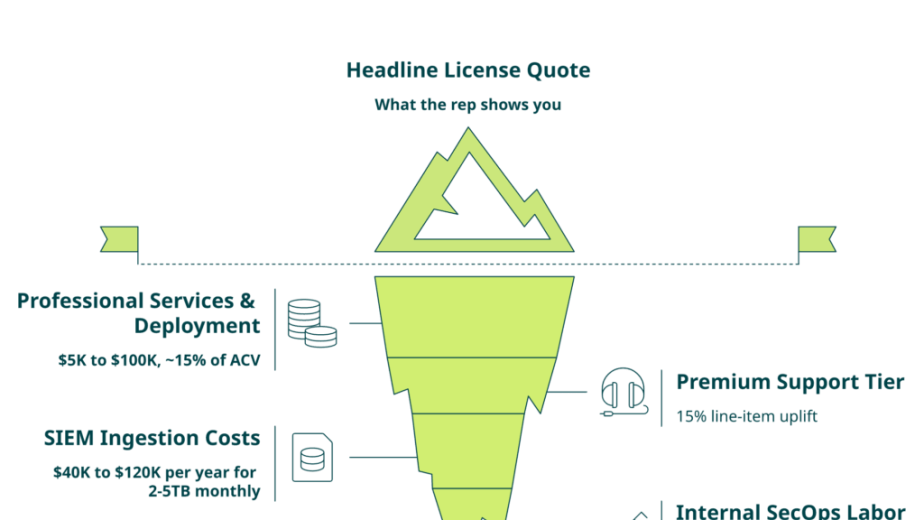
Across the customer base, this discipline cuts SIEM volume 50% to 90% with zero detection loss. One mid-market SaaS company we worked with went from $1.8M/year in Splunk ingest to $420K, and their alert-to-triage time actually dropped because analysts stopped drowning. If pricing transparency matters to your finance team, our managed SIEM pricing guide shows the math behind every line item.
Where UnderDefense Agentic AI SOC sits in this pipeline
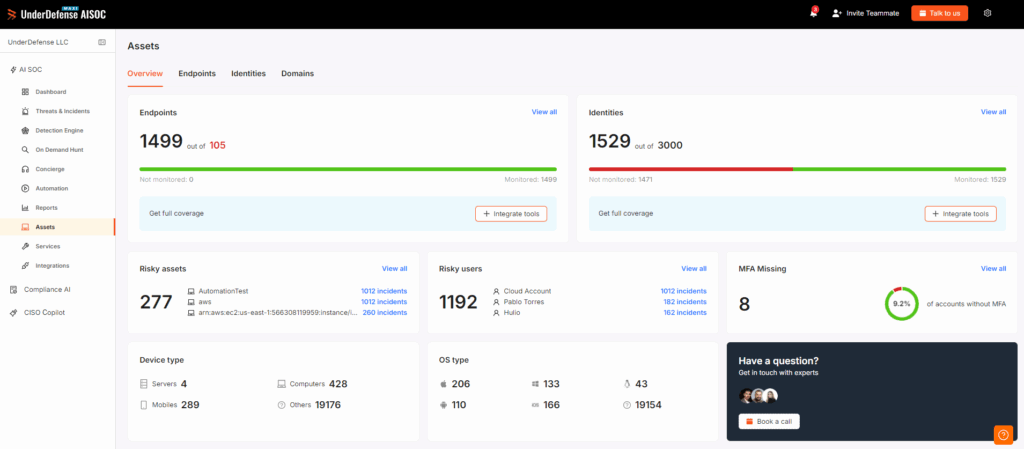
UnderDefence Agentic AI SOC is the unified layer that sits on top of your SIEM, EDR, and cloud telemetry, not a replacement for them. You keep Splunk, Sentinel, or Chronicle. You keep your detection logic. We add automated investigation, ChatOps validation, and a human SOC analyst who actually picks up the phone at 2 a.m. The same vendor-agnostic model is detailed across our WarRoom platform and MDR for Splunk deployments.
“UnderDefense Agentic AI SOC integrates well with our systems, specifically with our SIEM, Splunk. Their team is proactive in identifying and addressing threats.”
— Oleg K., Director Information Security, Mid-Market UnderDefense G2 Verified Review
I might be wrong on the exact percentages for your environment, but the direction is right. ✅ If you cannot tell me your cost per detection (not cost per GB), you do not own your pipeline yet.
Q4. Which detection techniques actually find threats, correlation, anomaly, UEBA, Long Tail Analysis, and the Diamond Model?
Correlation rules catch known patterns. Anomaly detection catches deviations. UEBA catches insider drift. Long Tail Analysis catches the singletons, the rare executable that ran exactly once last quarter. Layer the Diamond Model on top to link individual detections into adversary campaigns, and F3EAD to move from tactical alert to strategic intelligence. Academic work shows two well-tuned heuristics on Windows logon alerts cut analyst workload by roughly 90%. Technique fit beats raw model sophistication.
The five techniques, side by side
| Technique | What it catches | False-positive profile | Primary log source | When to use |
|---|---|---|---|---|
| Correlation rules | Known TTPs, multi-event chains | Low if tuned, high if not | SIEM-wide | Day one, mandatory baseline |
| Anomaly detection | Statistical deviations | Medium, drifts with seasonality | Network, cloud trail | After 30+ days of baseline |
| UEBA | Insider drift, account takeover | Low, high explainability | Identity, EDR | Privileged users, finance, R&D |
| Long Tail Analysis | Singleton executables, rare hosts | Very low, very high signal | EDR, process logs | Quarterly hunt sprints |
| Diamond Model + F3EAD | Campaign-level adversary patterns | N/A, intelligence layer | All correlated | Threat-intel and IR teams |
Long Tail Analysis, the most underused technique in mid-market SOCs
Long Tail Analysis is the singleton hunt. You list every executable, parent-process pair, or command line that ran exactly once across your fleet in the last 30 days. Most SOCs never do it because the SIEM dashboard does not surface it by default. Yet in our experience, three of the last seven customer breaches we helped contain started as a singleton PowerShell command that had been quietly running for weeks.
The Zimbra memcache exploit a customer hit last year was a perfect example. Attackers used a CRLF injection to harvest 10+ credential pairs, including admin. The exploit never touched the endpoint, so EDR was blind. Only log analysis, specifically a singleton query against memcache request anomalies, caught it. If your team needs a structured way to bake these hunts into incident response, the F3EAD loop closes the gap fast.
The Diamond Model and F3EAD, linking detections into campaigns
The Diamond Model gives you four corners on every event: adversary, capability, infrastructure, and victim. When you link 20 alerts across the same adversary corner, you stop chasing tickets and start tracking a campaign. F3EAD (Find, Fix, Finish, Exploit, Analyze, Disseminate) takes that campaign view and turns it into IR, threat intel, and detection-engineering feedback. This is how you stop relitigating the same attacker every six months.
Detection logic as code
Forward-looking teams treat detection rules like software. They write them in Python or KQL, version-control them, run unit tests against attack simulations, and deploy via CI/CD. This is also the answer to vendor lock-in. The true value of a SIEM is not the platform, but the custom correlation rules and business context baked into the detection logic. Teams who write detections as code can move from Splunk to Sentinel to Chronicle without losing years of institutional memory. Our SOC automation checklist walks through how to wire this into a CI/CD discipline your detection engineers actually enjoy.
“I appreciate the simplicity and effectiveness of UnderDefense Agentic AI SOC. It offers clear and actionable insights, allowing us to react promptly to any security issue.”
— Darina I., Customer Success Manager UnderDefense G2 Verified Review
What my experience of shipping MDR service tells me is this. ✅ The best SOCs run all five techniques in parallel. Pick one and you create a blind spot wide enough to drive a ransomware crew through.
Q5. How do you build real detection playbooks, with sample SPL, KQL, and ESQL queries for the top 5 ATT&CK techniques?
A detection playbook pairs a hypothesis (for example, “a user logs in from two countries within 15 minutes”) with a query, a triage step, and a response action. Treat each playbook like code, write it in Python or KQL, version-control it, and deploy via CI/CD. Five playbooks every SOC should ship this quarter, impossible travel (T1078), night-shift execution (T1059), OAuth consent abuse (T1528), Zimbra-style memcache anomaly invisible to EDR, and the insider-threat UEBA mini-playbook, closing the gap behind the 67% of insider attacks that go undetected.
Detection logic as code, not as Word documents
The teams I respect most version-control every rule. They write detections in Python, Sigma, or KQL (Kusto Query Language, used in Microsoft Sentinel), run them through unit tests against ATT&CK simulations, and deploy via CI/CD. This is also the answer to vendor lock-in. Years of correlation logic stop being trapped inside a vendor UI and start traveling with you. Our SOC automation checklist walks through how to wire this discipline into your detection-engineering team.
Playbook 1, Impossible travel (T1078, Valid Accounts)
Hypothesis, a single user logs in from France at 10:00 and Canada at 10:15, faster than any flight allows.
SigninLogs
| where ResultType == 0
| summarize geos = make_set(LocationDetails.countryOrRegion), times = make_list(TimeGenerated) by UserPrincipalName, bin(TimeGenerated, 30m)
| where array_length(geos) >= 2
Triage, ChatOps ping the user, “Did you just sign in from Toronto?” Response, force MFA, revoke active tokens, and sweep mailbox for forwarding rules.
Playbook 2, Night-shift execution (T1059, Command and Scripting)
Hypothesis, attackers run noisy PowerShell between 01:00 and 03:00 local time, when admins are asleep.
index=windows EventCode=4688 NewProcessName="*\powershell.exe"
| eval hour=strftime(_time,"%H")
| where hour>="01" AND hour<="03"
| stats count by host, user, CommandLine
Triage, decode base64, and check parent process. Response, isolate host via EDR (Endpoint Detection and Response), and reset credentials. Our Managed EDR service runs this exact sweep on customer fleets every night.
Playbook 3, OAuth consent abuse (T1528, Steal Application Access Token)
Hypothesis, a user grants consent to a brand-new third-party app with mail.read or files.readwrite scope.
AuditLogs
| where OperationName == "Consent to application"
| extend app = tostring(TargetResources[0].displayName), scopes = tostring(TargetResources[0].modifiedProperties)
| where scopes has_any ("Mail.Read","Files.ReadWrite.All","offline_access")
Triage, check publisher verification and first-seen date. Response, revoke consent, block app, and audit mailbox rules. We see this technique daily across MDR for Microsoft 365 deployments.
Playbook 4, Zimbra memcache anomaly (invisible to EDR)
Hypothesis, CRLF injection into Zimbra memcache harvests credential pairs without touching the endpoint.
FROM zimbra-logs
| WHERE request CONTAINS "\r\n" OR request CONTAINS "%0d%0a"
| STATS cnt = COUNT(*) BY src_ip, user
| WHERE cnt > 5
Triage, dump memcache keys, and rotate any exposed admin password. Response, patch CVE, and force org-wide credential reset.
Playbook 5, Insider UEBA mini-playbook
Hypothesis, a privileged user shows three drift signals in 24 hours: impossible travel, off-hours data pulls, and access to assets outside their role baseline.
let baseline = UserBaseline | where UserPrincipalName == "alice@corp";
SigninLogs, OfficeActivity, AuditLogs
| where UserPrincipalName == "alice@corp"
| extend drift = case(LocationDriftScore > 0.8, 1, OffHoursPull > 0.7, 1, RoleDeviation > 0.6, 1, 0)
| summarize totalDrift = sum(drift) by bin(TimeGenerated, 1d)
| where totalDrift >= 3
This last one matters because IntechOpen research shows roughly 67% of insider attacks went undetected without continuous behavioral monitoring. ✅ Ship all five playbooks this quarter, version them in Git, and you will catch what signature SIEM (Security Information and Event Management) misses. If you want to stress-test these against your own environment, our penetration testing team replays the same TTPs on demand.
Q6. How do you fight alert fatigue without missing the one alert that matters?
Alert fatigue has four root causes: poor tuning, redundant detections, missing context, and absent feedback loops. Run a 30-day audit, classify every alert against those four buckets, and route the dominant cause into a tuning sprint. Layer Continuous Human-in-the-Loop Learning, a one-click “benign or malicious, plus reason” control on every alert. AISOC research shows roughly 90% workload reduction on Windows logon alerts using two well-tuned heuristics.
The governing thought, alert fatigue is a tuning problem, not a volume problem. Buying “unlimited ingestion” without detection engineering does not solve fatigue, but amplifies it. Our SOC metrics guide breaks down which numbers actually move when you tune properly.
Pillar 1, the four-cause taxonomy
Tariq, Baruwal Chhetri, Nepal, and Paris published the most useful taxonomy I have read in years. Their four causes are concrete:
- ⚠️ Poor tuning, default rules firing on benign behavior.
- ⚠️ Redundant detections, same TTP fires three rules across three tools.
- ⚠️ Missing context, alert without asset criticality, owner, or user role.
- ⚠️ Absent feedback loops, analyst dispositions never reach the model.
Audit your last 30 days and you will find one cause dominates. Fix that one first.
Pillar 2, Continuous Human-in-the-Loop Learning (CHILL)
Furnell and team showed something worth pinning above your SIEM. Two heuristics on Windows logon alerts, paired with analyst feedback, cut workload by roughly 90%. The mechanism is dull and powerful, every analyst disposition (benign, malicious, plus a one-line reason) feeds the next day’s tuning.
✅ Add a one-click feedback button on every alert tomorrow. Pipe responses into a weekly tuning review. Within 60 days, your top-10 noisy rules will look unrecognizable. This is the engine inside our UnderDefense Agentic AI SOC tuning loop.
Pillar 3, ingestion tuning ROI
I will be blunt. ❌ “Unlimited ingestion” is a liability. Unlimited data without custom detection engineering is dumpster diving, a noisy black box where analysts eventually ignore critical signals. In our case work, ingestion tuning cuts SIEM volume 50% to 90% with zero detection loss, and 2-minute Alert-to-Triage and 15-minute escalation for critical incidents drops because analysts stop drowning. For a deeper view of the unit economics, our managed SIEM pricing guide shows the math.
“The biggest win for me was getting actual control over our security alerts. Their team cleaned up our configurations and got the noise under control within the first week.”
— Verified User, Marketing & Advertising UnderDefense G2 Verified Review
Monday-morning audit checklist
Run this in the next four hours:
- Pull the top 20 alert rules by volume from your SIEM.
- Classify each into one of the four causes above.
- Mute, merge, or enrich the top three offenders.
- Stand up a weekly disposition review with two analysts.
- Track precision, recall, and analyst minutes per alert.
“Now when we get an alert, we know it’s something worth looking into.”
— Verified User, Marketing & Advertising UnderDefense G2 Verified Review
What my experience of shipping MDR service tells me is this. ✅ Tuning beats volume, every quarter, in every customer.
Q7. How do AI-SOC and agentic automation change log analysis, and where do they still need a human?
AI-SOC platforms automate the mechanical layer of log analysis: querying the SIEM, pulling logs across systems, multi-source correlation, and assembling structured investigation reports in seconds. Humans still own three things AI cannot: validating intent (was that PowerShell yours?), reasoning about novel adversary behavior, and making judgment calls under regulatory pressure. AI handles throughput. Humans handle truth. Teams that confuse the two end up with faster bad decisions.
What AI does well, the grunt work of investigation
Most of what a Tier-1 analyst does is mechanical: run a SIEM query, fetch the EDR timeline, pivot to identity logs, check threat intel, and write a report. AI does this in seconds, every time, without a coffee break. Tariq et al. catalog this as the highest-ROI automation surface in the SOC. In our UnderDefense Agentic AI SOC deployments, automated investigation cuts a 25-minute Tier-1 ticket to roughly 90 seconds, with a structured artifact a human can audit.
This is the “show, don’t tell” line for AI-SOC. If you cannot reproduce the workflow on a live demo with your own data, you are buying a black box. Our AI SOC red flags piece lists every check we run before recommending an AI-SOC layer to a customer.
Breaking the fourth wall, ChatOps validation
The part nobody talks about is the human in the loop, but on the user side, not the analyst side. When the UnderDefense Agentic AI SOC Platform sees a suspicious PowerShell command, it pings the user directly in Slack or Teams: “Did you just run this script at 02:14? Yes or no.” The user answers in 30 seconds.
That single interaction collapses an investigation that used to take two analysts and four hours. ✅ It also creates an auditable trail of intent that satisfies SOC 2 CC7.2 and NIS2 Article 21 reporting.
“The platform itself is straightforward, it pulls in data from all our existing security tools, so we didn’t have to rip and replace anything. Their SOC team is responsive and knows their stuff.”
— Verified User, Marketing & Advertising UnderDefense G2 Verified Review
Three moves you can make this week
- Pick your top five highest-volume alert types and add a ChatOps validation step (Slack or Teams DM to the user) before analyst escalation.
- Capture analyst disposition (benign, malicious, plus reason) on every alert and pipe it back into your detection rules weekly.
- Ship a one-page “AI scorecard” for your SOC: precision, recall, false-positive rate, and drift, reviewed monthly. If you cannot measure it, you cannot defend it on a board call.
The contrarian twist, an unbiased model is more dangerous
Here is the part that gets me push-back from AI vendors. A measurable, biased AI model is safer than an “unbiased” one. You can measure what a biased model is doing wrong and adjust it. An unbiased model is unmeasurable, and therefore unmanageable. Demand precision, recall, false-positive rate, and drift metrics on every model your SOC uses. Our take on whether AI kills or saves your SOC team goes deeper on this trade-off.
Working with 500+ security teams, what I have noticed is that the teams who measure their AI keep using it. The teams who treat it as magic eventually shelf it. The next 18 to 24 months will reward the practical operators, not the magicians.
Q8. How do you analyze logs from autonomous AI agents, Claude, Cursor, Copilot, and detect prompt-injection IOCs?
Autonomous AI agents (Claude, Cursor, Copilot, internal tool-use agents) now read, write, and call APIs in production environments most SOCs cannot see. Capture five telemetry streams: prompt-and-tool-call traces, output classifications, identity-binding (which user spawned the agent), API call graphs, and data-egress events. Hunt for prompt-injection IOCs (Indicators of Compromise) such as instruction overrides, jailbreak signatures, and anomalous tool-chain depth, and treat banning agents as a visibility-killer rather than a control.
The five telemetry streams every SOC needs from agentic AI
Every agent in production writes logs somewhere. The job is to centralize them like any other log source. Our MDR for AI practice was built specifically for this category.
| Stream | What to capture | Why it matters |
|---|---|---|
| Prompt + tool-call trace | Full input, system prompt, and tool arguments | Source of truth for prompt-injection forensics |
| Output classification | Refusals, jailbreaks, PII leaks, and policy hits | Detects model abuse in real time |
| Identity binding | Which human spawned the agent, role, and scope | Ties agent action to RBAC (Role-Based Access Control) |
| API call graph | Which downstream APIs the agent invoked | Catches lateral movement via tool-use |
| Data-egress events | Files read, written, and sent to external endpoints | Detects exfil through MCP (Model Context Protocol) servers |
Prompt-injection IOC catalog
This is the hunting list I would put in your SIEM next week, drawn from OWASP LLM Top 10 and MITRE ATLAS:
- ⚠️ Instruction override patterns (“ignore previous instructions”, “you are now in DAN mode”).
- ⚠️ Jailbreak signatures (known prompts catalogued in research datasets).
- ⚠️ Tool-chain depth anomaly (an agent calls 14 tools in a single session when baseline is 3).
- ⚠️ Indirect injection via untrusted content (web pages, PDFs, and emails the agent read).
- ⚠️ Exfiltration through tool-use (file-read tool followed by external HTTP POST).
The contrarian, banning agents removes visibility
Banning ChatGPT, Cursor, or Copilot does not work. Employees just use their phones. They paste sensitive prompts into a third-party device the CISO can never see. ❌ A blanket ban is a visibility-killer, not a control. ✅ The better move is to provision sanctioned agents, route them through an enterprise gateway, and log every prompt and tool call. For board-level framing, our conversational SOCs piece lays out the operating model.
In our experience hardening UnderDefense Agentic AI SOC for 1,000-employee-plus customers, agent-aware logging caught two real incidents in the last six months. One was a Cursor session that exfiltrated repo secrets into a public paste service. The other was a Copilot agent following a prompt-injection payload buried in a customer-support PDF.
AI Agent Governance, the next SOC discipline
What I think we will see in the next 18 to 24 months is a new SOC discipline, AI Agent Governance. It looks a lot like identity governance for non-human actors, but with prompt traces, output classifications, and tool-call graphs as the audit substrate. Start small, log every Cursor and Claude session through a gateway, baseline tool-chain depth, and alert on the IOC catalog above. That is your Monday-morning move. If you want a partner inside this discipline, our incident response team has a runbook ready.
Q9. Which log analysis tools should you actually shortlist, SIEM, log management, UEBA, SOAR, XDR, AI-SOC?
Shortlist by job-to-be-done, not category. AI-SOC layers (UnderDefense Agentic AI SOC leading, then peers) sit on top of existing SIEMs to preserve detection logic. SIEMs (Splunk, Sentinel, Chronicle, and Elastic) own correlation. UEBA, SOAR, and XDR fill specialist gaps. The trade-off vendors hide, years of correlation rules, your detection logic, rarely transfer when you switch SIEMs, so the smartest 2026 architecture is vendor-agnostic AI-SOC over your existing stack.
The six categories, demystified
I will keep this honest. Most “log analysis tool” lists are just product directories with no opinion. Here is the matrix I would put in front of a CISO making a $500K decision next quarter. For a deeper-dive companion, our best SOC tools roundup covers each category with operator notes.
| Category | Best for | Ingest model | Lock-in risk | Price signal | Vendors to watch |
|---|---|---|---|---|---|
| AI-SOC | Layering AI triage on existing SIEM/EDR | Vendor-agnostic, BYO data | ⭐ Low | $11 to $15 per endpoint | UnderDefense Agentic AI SOC, Prophet, Dropzone |
| SIEM | Correlation, compliance retention | GB or EPS based | ⚠️ High (rule rewrite) | $1.50 to $4 per GB | Splunk, Sentinel, Chronicle, Elastic |
| Log management | Cheap retention, search | GB based | ✅ Low | $0.10 to $0.50 per GB | Cribl, Grafana Loki, OpenObserve |
| UEBA | Insider threat, identity drift | Identity events | ⚠️ Medium | Bundled or per-user | Exabeam, Securonix, Microsoft |
| SOAR | Response automation | Per playbook or analyst | ⚠️ Medium | $50K to $250K per year | Tines, Torq, Palo Alto XSOAR |
| XDR | Endpoint plus cloud telemetry | Per-endpoint | ❌ High (proprietary) | $8 to $20 per endpoint | CrowdStrike, SentinelOne, Defender XDR |
Business logic lock-in, the hidden cost
The true value of a SIEM is not the platform. It is the years of custom correlation rules and business context baked into your detection logic. When teams switch vendors, that logic rarely transfers cleanly. I have watched a Fortune 500 lose 18 months of detection engineering during a Splunk to Sentinel migration because the rules were written in SPL and nobody owned the rewrite. Our how to choose a SIEM guide spells out the eight criteria that prevent this trap.
The architectural answer is to put an AI-SOC layer on top of your existing SIEM. Splunk, Sentinel, Chronicle, and Elastic, all of them. Customers keep their data, their schema, and their rules. We add the triage, correlation, and ChatOps response layer on top through the UnderDefense Agentic AI SOC Platform.
The reseller gap, and why “AI-SOC over BYO SIEM” wins
A real frustration I hear weekly from CISOs, many MDR providers resell Sumo Logic, Splunk, or Sentinel, and then leave the fine-tuning, ingestion control, and rule maintenance to the customer’s team. That is the reseller gap. You buy outcomes, but receive licenses. If you are weighing alternatives, our MDR vendors list 2025 compares the field side by side.
“An Expensive Blackbox and Horrible Partner. We received little value from ArcticWolf. The product offered little visibility. Anything you want to look at or changes you need to make in the product must go through their engineering team.”
— Matt C., Manager, Cybersecurity Services Arctic Wolf, G2 Verified Review
“Log collectors show working, however when asked to provide logs for an investigation no logs could be provided. Analysts provide little context, and when asked for more information in the investigation nothing is ever provided.”
— CISO, Manufacturing Arctic Wolf, Gartner Peer Insights Review
In our experience hardening UnderDefense Agentic AI SOC for 1,000-employee-plus customers, the BYO-SIEM model cuts ingestion 50% to 90% while preserving the detection logic the team already paid to build. Pricing transparency lives on our MDR pricing page if you want to compare like-for-like.
Q10. How do you map log analysis to compliance, PCI DSS 10, HIPAA, SOC 2, ISO 27001, NIS2, without doubling the work?
Most teams build separate logging stacks for security and compliance, and then drown in duplication. The fix is one crosswalk. PCI DSS Req. 10 wants 12 months retention with three months hot. HIPAA §164.312(b) wants audit controls on PHI access. SOC 2 CC7.2 wants anomaly detection. ISO 27001 A.12.4 wants protected, reviewed logs. NIS2 Article 21 wants 24-hour and 72-hour incident reporting. One pipeline, one schema, multiple compliance views. Our log monitoring compliance guide is the long-form companion to this section.
The five-framework crosswalk
| Framework | Requirement | Log sources required | Retention | Detection rule |
|---|---|---|---|---|
| PCI DSS 4.0 Req. 10 | Log all access to CHD systems | Firewall, server, app, DB, and IAM | 12 months (3 hot) | Privileged access anomalies |
| HIPAA §164.312(b) | Audit controls on ePHI | EHR, AD, file servers, and VPN | 6 years | Unauthorized PHI access |
| SOC 2 CC7.2 | Detect anomalies | SIEM, EDR, and cloud | 1 year (auditor minimum) | Behavioral baselines |
| ISO 27001 A.12.4 | Protected, reviewed logs | All systems in scope | Risk-based, often 1 year | Tamper detection on logs |
| EU NIS2 Art. 21 | 24h early warning, 72h notification | Critical service infra | Risk-based | Incident classification automation |
M365 E5 entitlement audit, find what you already own
Before buying a third-party logging tool, audit what Microsoft 365 E5 already gives you. Most enterprises pay for it and use roughly 30% of the value. This is a routine starting point inside our MDR for Microsoft 365 engagements.
✅ Microsoft Purview Audit (Premium), one-year retention, advanced search.
✅ Defender for Cloud Apps, OAuth consent and shadow-IT logs.
✅ Microsoft Sentinel, free 90-day ingestion for M365 audit data.
✅ Entra ID risky sign-in and identity-protection logs.
✅ Defender for Endpoint advanced hunting (KQL).
✅ Insider Risk Management, behavior baselines without UEBA spend.
I have seen customers cancel a $400K Splunk add-on after a 90-minute E5 entitlement audit. ⏰ Do this before your next renewal. Our compliance services team runs these audits as a standalone sprint.
NIST CSF budget visualization
Map every dollar you spend on logging and detection to a NIST CSF 2.0 function (Govern, Identify, Protect, Detect, Respond, and Recover). The pattern that shocks every board, almost zero budget on Detect and Respond, despite the entire SOC living there. Pair it with the 2026 cybersecurity budget playbook for the board-ready version.
This is how I get budget approved fast. ✅ Show the board where 80% of dollars go (Protect) and where 80% of incidents land (Detect, Respond). The conversation changes in 10 minutes.
Q11. What does a real-world log analysis save look like, and what does it cost when logging is missing?
Real saves and misses make the ROI case better than any spreadsheet. One mid-market customer’s log monitoring paid for itself within three months by surfacing a $300,000 payroll fraud scheme that EDR (Endpoint Detection and Response) never alerted on. A Zimbra CRLF memcache exploit harvested 10+ credential pairs without ever touching an endpoint. Only log analysis caught it. And one retailer’s 2 AM breach left no forensic trail because logging was never enabled on the pilot CRM. Time is the currency of the cloud. More wins of this shape live in our SIEM and SOC avoided $650K loss case study.
Case 1, the $300K accidental discovery
💰 Situation, a mid-market services customer turned on UnderDefense Agentic AI SOC log monitoring as a compliance check-box for SOC 2.
Complication, two months in, our analysts noticed an HR finance user accessing the payroll export tool at 02:30 local time, three nights a week. Nothing tripped EDR. The user’s endpoint was clean.
Resolution, we pulled VPN, Okta, and SaaS audit logs into one timeline. The pattern revealed a payroll fraud scheme worth roughly $300,000 across nine months. ChatOps validation with the user’s manager closed the loop in 40 minutes. Logging paid for itself three times over in the first quarter. This kind of cross-source pivot is exactly what our incident response team runs daily.
Case 2, the Zimbra memcache exploit invisible to EDR
⚠️ Situation, a Fortune 1000 customer ran on-prem Zimbra Collaboration Suite, monitored by a top-three EDR.
Complication, attackers used CRLF injection into Zimbra memcache to harvest 10+ credential pairs, including a domain admin. Nothing touched the endpoint. The EDR was silent for nine days.
Resolution, our log analytics flagged anomalous memcache request patterns from Zimbra access logs. We pulled the forensic timeline, rotated credentials, patched the CVE, and forced an org-wide reset. The lesson, EDR sees what runs on endpoints. Logs see what runs between them. Compare with the faster than CrowdStrike OverWatch case for the same pattern at scale.
Case 3, the pilot CRM 2 AM breach
❌ Situation, a retailer launched a pilot CRM with live customer data, but logging was never enabled because “it is just a pilot.”
Complication, attackers entered at 02:00, exfiltrated client records, and disappeared. There was no forensic trail. None.
Resolution, there was nothing to resolve. The team rebuilt the environment, paid the disclosure cost, and shipped a new policy: no production data without logging on day one. ⏰ A 15-minute delay is the difference between a save and a catastrophe. No logs, no save. If your team has just hit this moment, our experienced a breach hotline is the right next call.
“Their team helped us actually get value from our existing security tools instead of just adding another dashboard. They tuned out the noise so we could focus on real threats.”
— Verified User, Marketing & Advertising UnderDefense G2 Verified Review
“Lack of true remediation in the response, costing us significantly in resources and introducing risks in security.”
— VP of Technology Arctic Wolf, Gartner Peer Insights Review
Q12. What is the fastest way to pressure-test your current log analysis stack this quarter?
Run a 30-minute self-test against four questions. Can you answer “who logged in from where in the last hour” in under 60 seconds? Can you replay yesterday’s privileged actions across SIEM, EDR, and cloud? Can you produce a SOC 2 or NIS2 evidence pack on demand? And do you know your SIEM ingestion cost per detection? If any answer is “no,” a vendor-agnostic log analysis health check will surface where to tune before you buy more tooling. Our MDR service team runs this check end to end.
The four-question self-assessment
- ⏰ Who logged in from where in the last hour, answered in under 60 seconds?
- 🔍 Can you replay yesterday’s privileged actions across SIEM, EDR, and cloud in one timeline?
- 📋 Can you produce a SOC 2 CC7.2 or NIS2 Article 21 evidence pack in under one business day?
- 💸 Do you know your SIEM ingestion cost per validated detection?
If you cannot answer all four, you have a tuning gap, not a tooling gap. ✅ Buying more dashboards will not fix it.
What “good” looks like, in numbers
- Question 1 (sign-in lookup), under 60 seconds. Industry median per Mandiant M-Trends 2024 is roughly 10 days dwell time, which usually traces back to slow log lookup.
- Question 2 (privileged-action replay), under 5 minutes across SIEM, EDR, and IdP.
- Question 3 (compliance evidence pack), under one business day, not the two-week scramble most teams run.
- Question 4 (cost per validated detection), under $50 per high-fidelity alert. If you do not know your number, you are flying blind.
What a free log analysis health check covers
A 30-minute concierge health check, vendor-agnostic, no rip-and-replace, walks through:
- Ingestion audit, identify the top 10 noisy sources and their cost.
- Top-10 detection-rule review, false-positive rate and tuning recommendations.
- M365 E5 entitlement check, what you already own and are not using.
- Compliance-evidence dry run, can you produce a PCI DSS 10 or NIS2 packet today.
Less theater, more throughput. Less black box, more blue team. If you want a structured way to scope the engagement, our MDR buyers guide is the right starting brief.
What I’m thinking about next
What I am sitting with this quarter is the gap between agentic-AI adoption and SOC visibility. Most CISOs I talk to admit their teams already use Cursor, Claude, and internal tool-use agents in production, but their SIEM has zero telemetry on prompts, tool calls, or data egress through these agents. The next 18 to 24 months will reward security teams that treat AI agents as a new log source, not a banned shadow tool. I am especially curious how SOC 2 and NIS2 auditors will start asking for prompt-and-tool-call evidence. If your team is experimenting here, I would love to compare notes on what you are capturing, what you are missing, and where the auditors are landing. Contact us if you want to swap notes.
See how UnderDefense Agentic AI SOC resolves a real incident on your stack.
References
Research Papers
Tariq, S., Baruwal Chhetri, M., Nepal, S., and Paris, C. “Alert Fatigue in Security Operations Centres: Research Challenges and Opportunities.” ACM Computing Surveys, 57:1–38, 2025.
Sworna, Z. T., Babar, M. A., et al. “Evolving Techniques in Cyber Threat Hunting: A Systematic Review.” Journal of Network and Computer Applications, 2024.
Furnell, S., et al. “Combating Alert Fatigue in the Security Operations Centre.” SSRN, 2023.
Caltagirone, S., Pendergast, A., and Betz, C. “The Diamond Model of Intrusion Analysis.” Center for Cyber Intelligence Analysis and Threat Research, 2013.
Politecnico di Torino. “Log Analysis and Forensics in Cloud Environments, MS Thesis.” 2024.
Official Docs / Indian Statutes
NIST. “SP 800-92: Guide to Computer Security Log Management.”
NIST. “Cybersecurity Framework (CSF) 2.0.” Published: February 2024.
European Union. “Directive (EU) 2022/2555 (NIS2 Directive), Article 21.” Published: December 2022.
Microsoft. “Microsoft 365 E5 Compliance and Security Capabilities.” Published: 2025.
CISA. “Zimbra Collaboration Suite Vulnerabilities Advisory.”
MITRE ATT&CK. “Techniques T1078, T1059, T1098, T1528 and Data Sources Matrix.”
OWASP. “OWASP Top 10 for Large Language Model Applications.”
MITRE. “ATLAS, Adversarial Threat Landscape for Artificial-Intelligence Systems.”
OCSF. “OCSF Schema v1.x Specification.”
Blogs
Cribl. “Log Analysis Tools: Key Features and Top Tools.” Published: June 2025. [Secondary source]
Anomali. “Best Practices for SIEM Monitoring and Log Management.” Published: December 2025. [Secondary source]
Gruve. “AI-powered UEBA, Behavioral Analytics for Modern Threat Detection.” Published: April 2026. [Secondary source]
IntechOpen. “Hunting the Invisible: Harnessing UEBA to Unmask Insider Threats.” Published: April 2025. [Secondary source]
Splunk. “Log Analysis: A Complete Introduction.” Published: September 2024. [Secondary source]
Loggly. “Log Analysis Best Practices and Tools.” Published: June 2025. [Secondary source]
Cybervie. “Top 10 Logs Every SOC Analyst Must Know.” Published: August 2025. [Secondary source]
Matt C., Manager, Cybersecurity Services. “Arctic Wolf G2 Verified Review.” [Secondary source]
CISO, Manufacturing. “Arctic Wolf Gartner Peer Insights Review.” [Secondary source]
VP of Technology. “Arctic Wolf Gartner Peer Insights Review.” [Secondary source]
Verified User, Marketing & Advertising. “UnderDefense MAXI G2 Review.” [Secondary source]
UnderDefense MAXI. “G2 Reviews.” [Secondary source]
1. What is security log analysis, and why does compliance-only logging fail modern SOCs?
We define security log analysis as the discipline of collecting, parsing, normalizing, correlating, and interpreting machine-generated event data across endpoints, identity, network, cloud, and SaaS, so we can detect, investigate, and respond to threats. Compliance-only logging fills SIEMs to satisfy auditors and produces noise that analysts mute. Intelligence-driven logging differs in three ways:
-
Every detection rule is mapped to a MITRE ATT&CK technique and a specific business asset.
-
Every log source is scored on detection value per dollar of ingest, not raw volume.
-
Every alert carries enough context to answer “who did what, on which asset, and is it normal” in 60 seconds.
Across 500+ environments running our Agentic AI SOC platform, the teams that switch from compliance-first to detection-first cut SIEM noise by 50% to 90% within the first quarter without losing detections. The retailer who lost $1.1M to a 2 a.m. pilot-CRM breach had logging on the box, but never enabled.
2. Which log sources are non-negotiable for a modern SOC?
We treat six sources as the visibility floor:
-
Windows Domain Controller security logs (EventID 4624, 4672, 4769) for privilege use and Kerberos abuse.
-
DNS and firewall logs for C2 beacons, exfil, and lateral movement.
-
VPN and SSO logs for impossible-travel and MFA-bypass detection (T1078).
-
Cloud trail (AWS CloudTrail, Azure AAD, GCP) for IAM changes and privilege escalation (T1098).
-
SaaS audit logs (M365, Google Workspace) for OAuth consent abuse (T1528).
-
Container and Kubernetes audit logs for exec and secret access.
Layered, these cover roughly 90% of real attacker behavior. EDR alone misses CRLF injection in Zimbra memcache, OAuth tokens stolen via consent phishing, and rogue Lambda functions in unused regions. Identity, network, and cloud telemetry are the floor, not optional add-ons. We walk through this matrix on every MDR service onboarding, and we always start with an M365 E5 entitlement audit before recommending any third-party shipper.
3. How do we cut SIEM ingestion cost without losing detection coverage?
We treat ingestion tuning as the highest-ROI engineering work in any SOC. The five moves we run inside every customer pipeline:
-
Profile every log source by event-per-second and the detection rules it actually feeds.
-
Drop null fields and chatty heartbeats at the collector, before SIEM ingest.
-
Route DEBUG, INFO, and verbose audit traffic to S3 or Azure Blob at one-tenth the cost.
-
Tier hot (90 days), warm (12 months), and cold (7 years) by detection value.
-
Re-baseline every 90 days, because business changes faster than log schemas.
Across our customer base, this discipline cuts SIEM volume 50% to 90% with zero detection loss. One mid-market SaaS customer went from $1.8M per year in Splunk ingest to $420K, and their alert-to-triage time dropped because analysts stopped drowning. For board-ready math, our managed SIEM pricing guide shows the line items.
4. Which detection techniques actually catch threats: correlation, anomaly, UEBA, Long Tail Analysis, or the Diamond Model?
We run all five in parallel because each catches a different class of threat:
-
Correlation rules catch known TTPs and multi-event chains, mandatory baseline from day one.
-
Anomaly detection catches statistical deviations after 30+ days of baseline.
-
UEBA catches insider drift and account takeover, especially for privileged users.
-
Long Tail Analysis catches singletons, the rare executable that ran exactly once last quarter. Three of the last seven breaches we helped contain started this way.
-
Diamond Model + F3EAD links individual detections into adversary campaigns, so we stop chasing tickets and start tracking attackers.
Pick one technique and you create a blind spot wide enough to drive a ransomware crew through. The teams who treat detection rules like software, version-controlled, unit-tested, and deployed via CI/CD, also escape SIEM vendor lock-in. Our SOC automation checklist walks through how to wire this into a detection-engineering practice.
5. How do we fight alert fatigue without missing the alert that matters?
We treat alert fatigue as a tuning problem, not a volume problem. The four root causes are concrete:
-
Poor tuning, default rules firing on benign behavior.
-
Redundant detections, the same TTP fires three rules across three tools.
-
Missing context, alerts without asset criticality, owner, or user role.
-
Absent feedback loops, analyst dispositions never reach the model.
Audit your last 30 days, classify every alert against those four buckets, and one cause will dominate. Fix that one first. Then layer Continuous Human-in-the-Loop Learning, a one-click “benign or malicious, plus reason” control on every alert. Research shows two well-tuned heuristics on Windows logon alerts cut analyst workload by roughly 90%. “Unlimited ingestion” without detection engineering is a liability, not a feature. Our SOC metrics guide breaks down which numbers actually move when you tune properly.
6. How do AI-SOC and agentic automation change log analysis, and where do humans still matter?
AI-SOC platforms automate the mechanical layer of investigation: querying the SIEM, pulling logs across systems, multi-source correlation, and assembling structured reports in seconds. In our WarRoom platform deployments, automated investigation cuts a 25-minute Tier-1 ticket to roughly 90 seconds, with a structured artifact a human can audit. Humans still own three things AI cannot:
-
Validating intent, was that 02:14 PowerShell yours, answered via ChatOps to the user in Slack or Teams.
-
Reasoning about novel adversary behavior the model has never seen.
-
Judgment calls under regulatory pressure, SOC 2 CC7.2, NIS2 Article 21, and HIPAA reporting.
AI handles throughput. Humans handle truth. Teams that confuse the two end up with faster bad decisions. Demand precision, recall, false-positive rate, and drift metrics on every model. Our AI SOC red flags checklist covers what to ask before any AI-SOC contract.
7. How do we analyze logs from autonomous AI agents like Claude, Cursor, and Copilot, and detect prompt-injection IOCs?
We treat agentic AI as a new log source, not a banned shadow tool. Every agent in production should write five telemetry streams to a centralized SIEM:
-
Prompt and tool-call traces, the source of truth for prompt-injection forensics.
-
Output classifications, refusals, jailbreaks, PII leaks, and policy hits.
-
Identity binding, which human spawned the agent, role, and scope.
-
API call graph, which downstream APIs the agent invoked.
-
Data-egress events, files read, written, and sent to external endpoints.
Our hunting list draws from OWASP LLM Top 10 and MITRE ATLAS: instruction overrides (“ignore previous instructions”), jailbreak signatures, tool-chain depth anomalies, indirect injection via untrusted PDFs, and exfiltration through tool-use. Banning agents removes visibility. Provisioning sanctioned agents through an enterprise gateway preserves it. This is the focus of our MDR for AI practice.
8. How do we map log analysis to PCI DSS 10, HIPAA, SOC 2, ISO 27001, and NIS2 without doubling the work?
We build one pipeline, one schema, and multiple compliance views. The five-framework crosswalk we use:
-
PCI DSS 4.0 Req. 10, log all access to CHD systems, 12 months retention with three months hot.
-
HIPAA §164.312(b), audit controls on ePHI, six-year retention.
-
SOC 2 CC7.2, anomaly detection on SIEM, EDR, and cloud, one-year minimum.
-
ISO 27001 A.12.4, protected and reviewed logs across systems in scope.
-
EU NIS2 Article 21, 24-hour early warning and 72-hour notification with incident classification automation.
Before buying a third-party logging tool, audit what Microsoft 365 E5 already gives you. We have seen customers cancel a $400K Splunk add-on after a 90-minute entitlement audit. Map every dollar against NIST CSF 2.0 functions to expose the gap between Protect spend and Detect-Respond spend. Our compliance services team runs this crosswalk as a standalone sprint.
The post Security Log Analysis: Techniques, Tools, and Real-World Playbooks appeared first on UnderDefense.